The $3 Hair Tie Fix for My Garmin's Inaccurate Heart Rate
Introduction
A while back I had an epiphany to start running every day. That’s a story for another post, and out of scope here. What matters for this one is what came after: my smartwatch started recording my stats, and that’s how I got into tracking my runs with a bit more precision.
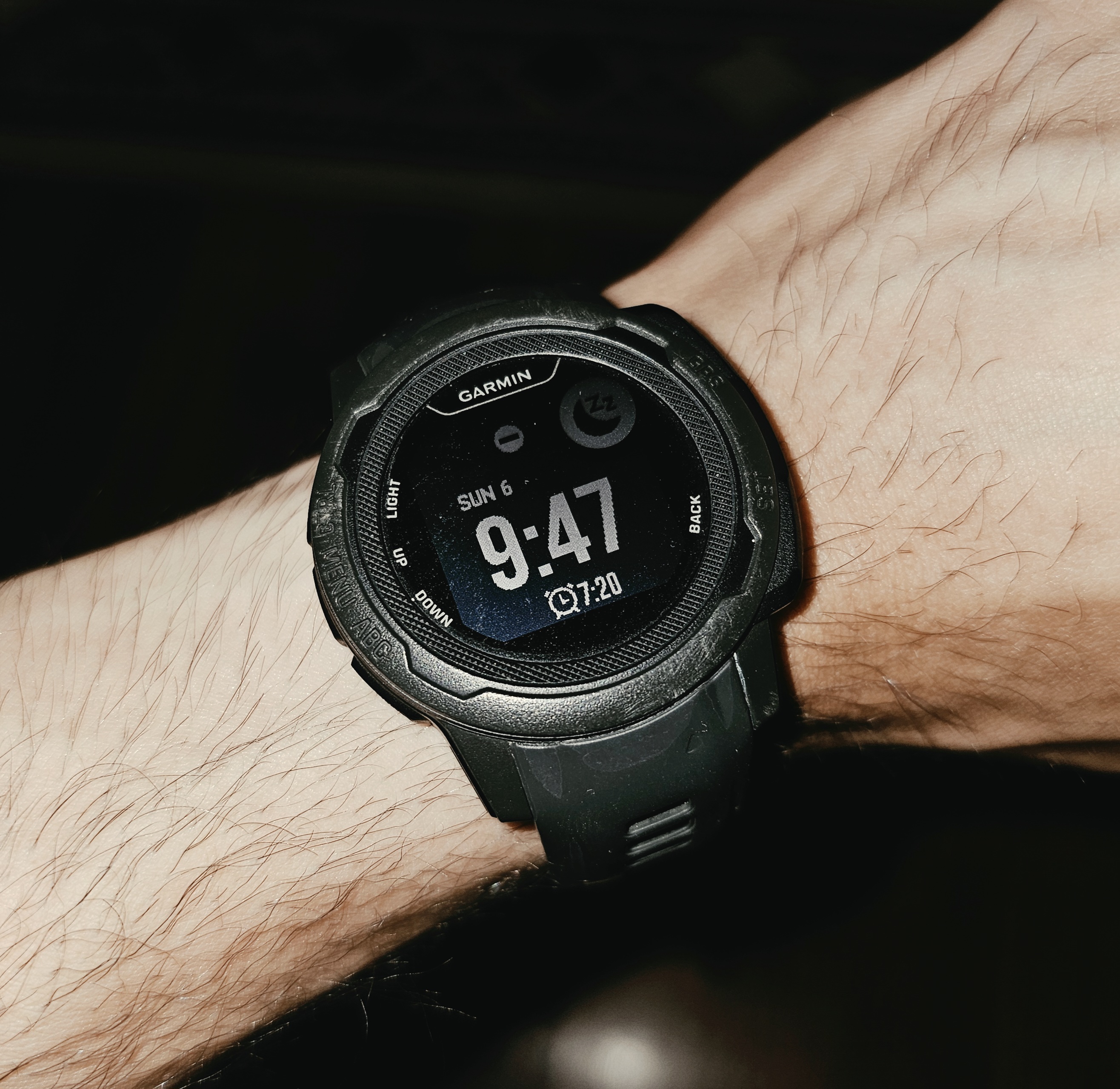
I was training my aerobic system and wanted to keep my heart rate in different zones depending on the day: zone 2 days, threshold days, HIIT days, and so on. The problem was my watch, a Garmin Instinct 2S I’ve had for three years, has some real flaws when it comes to measuring heart rate accurately.
I got frustrated with those flaws and went into deep research mode for a couple of months, trying to figure out what was actually wrong with my watch and why I couldn’t get an accurate reading out of it. I eventually caved and bought a chest strap to get accurate heart rate (it ran around 120 CAD). But before I get to the fix, let’s identify the problem.
How I Knew Something Was Wrong
You might ask: how do you even know your watch is reading wrong in the first place? For starters, you can feel your own heart rate and count it. But the more obvious tell was this: when I’m sprinting up a hill, my watch should not be telling me my heart rate is 80.
I had a bunch of hypotheses, and I tested them empirically to see what would actually make the reading more accurate. Through a lot of YouTube videos and my own testing, I narrowed the culprits down to four issues.

The Four Issues
Issue 1: Skin temperature. Wearable heart rate accuracy depends heavily on the surface temperature of your skin. My theory is that when your skin is cold, your blood vessels constrict, so the green light from the sensor can’t bounce off your skin as easily and reach the sensor. Cold skin, bad reading. I tried gloves and long sleeves, but it didn’t really help, especially since I run first thing in the morning, after coffee and no breakfast, all of which adds up to colder hands.
Issue 2: Skin tone. If you have darker skin, the readings tend to be less accurate. I have darker (brownish) skin, and I hadn’t considered this an issue at first because I always wear the watch and the skin underneath it is noticeably lighter than the rest of my arm.
Issue 3: Body hair. Body hair also impairs the accuracy of the wearable sensor.
Issue 4: Battery level. A low battery (under 20%) also hinders accuracy.
These four findings came from a mix of YouTube research and self-testing. A lot of credit here goes to The Quantified Scientist YouTube channel, which tests the heart rate accuracy of a huge range of devices.
The Fix
For the first three issues, the channel pointed me toward the actual solution: wear the watch on your bicep instead of your wrist. Near the armpit, the skin is warmer, lighter, and has less hair, so the sensor gets a much cleaner reading. I also started keeping my battery above 50% at all times, just to be safe.
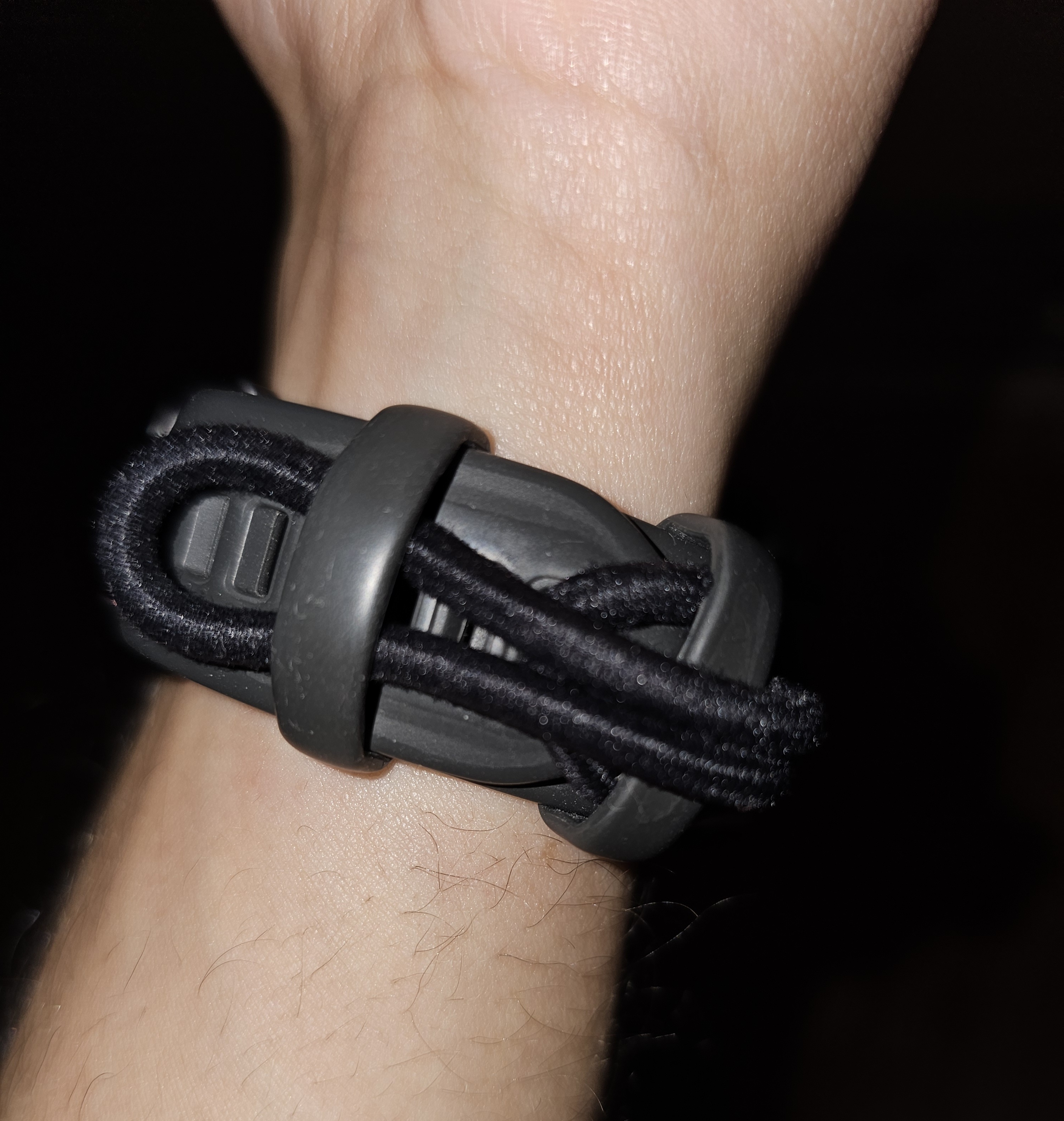
The remaining problem was that I didn’t have a strap made for the bicep. So I improvised: I took a hair tie from my wife, looped it through the holes in the watch band (I don’t know the technical name for them), and made a simple extender. That extender lets me wear the watch on my bicep, and when I don’t need it there, I just tie it around the back of the band.
It made my heart rate readings dramatically more accurate. I might even send the chest strap back: a problem I paid 120 CAD to solve might have actually been fixable with a $3 hair tie. (For the record, they don’t come in single packs, and mine happens to be black.)
The Downsides
It’s not a perfect setup. Two downsides worth mentioning:
- Harder to check mid-run. You can’t just glance at your watch anymore; checking it on your bicep is a bit more awkward. I usually pull up the Garmin app on my phone instead, or just check the heart rate summary at the end of each lap.
- One more thing to set up. You now have an extra step before every run: getting the watch positioned on your bicep.
I couldn’t think of any more downsides. I actually expected the hair tie extender itself to be a problem (chafing, discomfort, something), but it isn’t. It’s thin enough that I don’t notice a difference in feel whether I’m wearing the watch on my wrist or my bicep.
Wrapping Up
I wanted to share this in case it saves someone else a couple of months of frustration and a chest strap they might not need. If you’re getting suspicious heart rate numbers from your wrist-based wearable, try moving it up to your bicep before you spend money on anything else.
Here’s the actual hair tie extender, in all its improvised glory:
Cheers, and happy running.
Comments